I am a 3D visualization artist. I build interiors in 3ds Max + V-Ray, and I also use AI tools for images, video and my kids channel. In this lab I test AI on my own work and write down what really happened: the goal, the tools, the steps, the result, and what failed.
Why I run these tests: clients keep asking if AI can replace a 3D render. The honest answer is “sometimes, for some parts”. These tests show where that line is, with real images from my work. Every AI image is labeled.
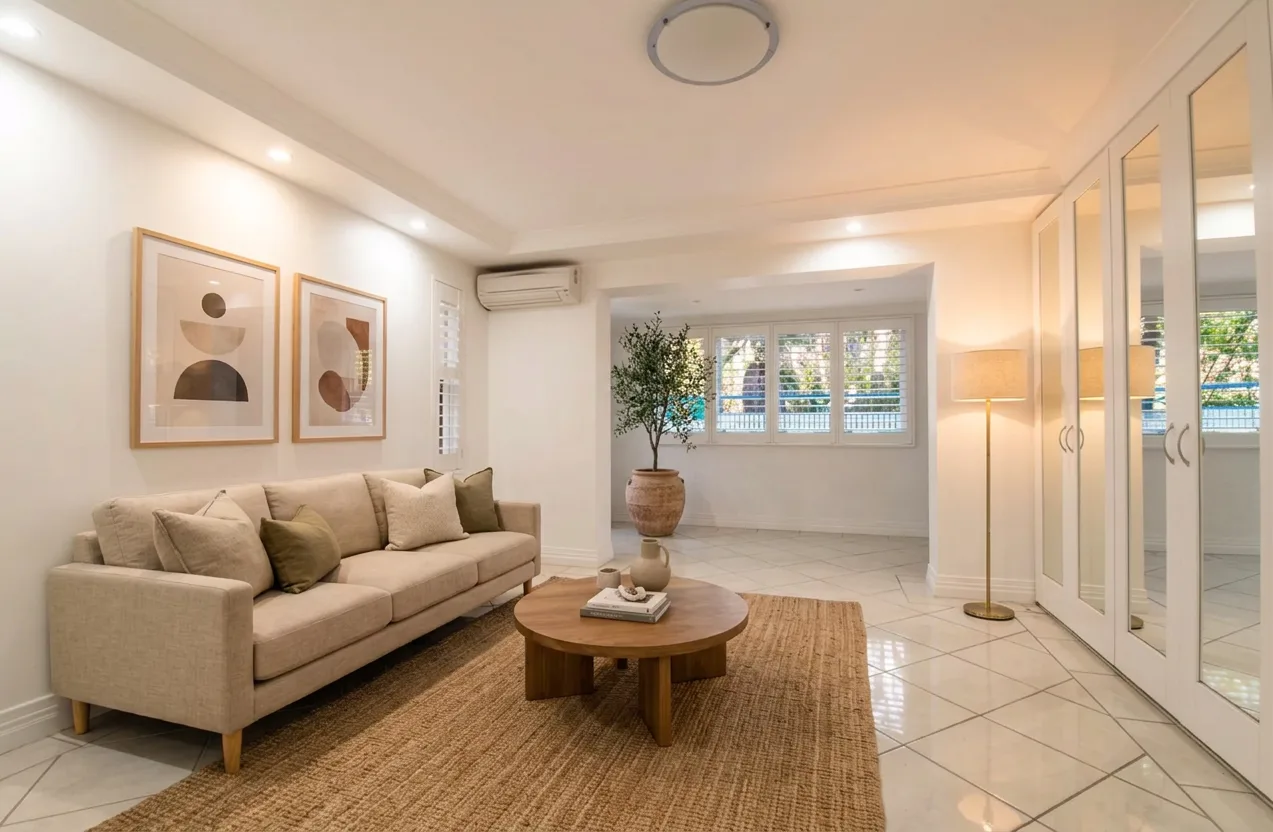 DoneAI Room MakeoverEmpty room, my staging, and an AI-staged version side by side.
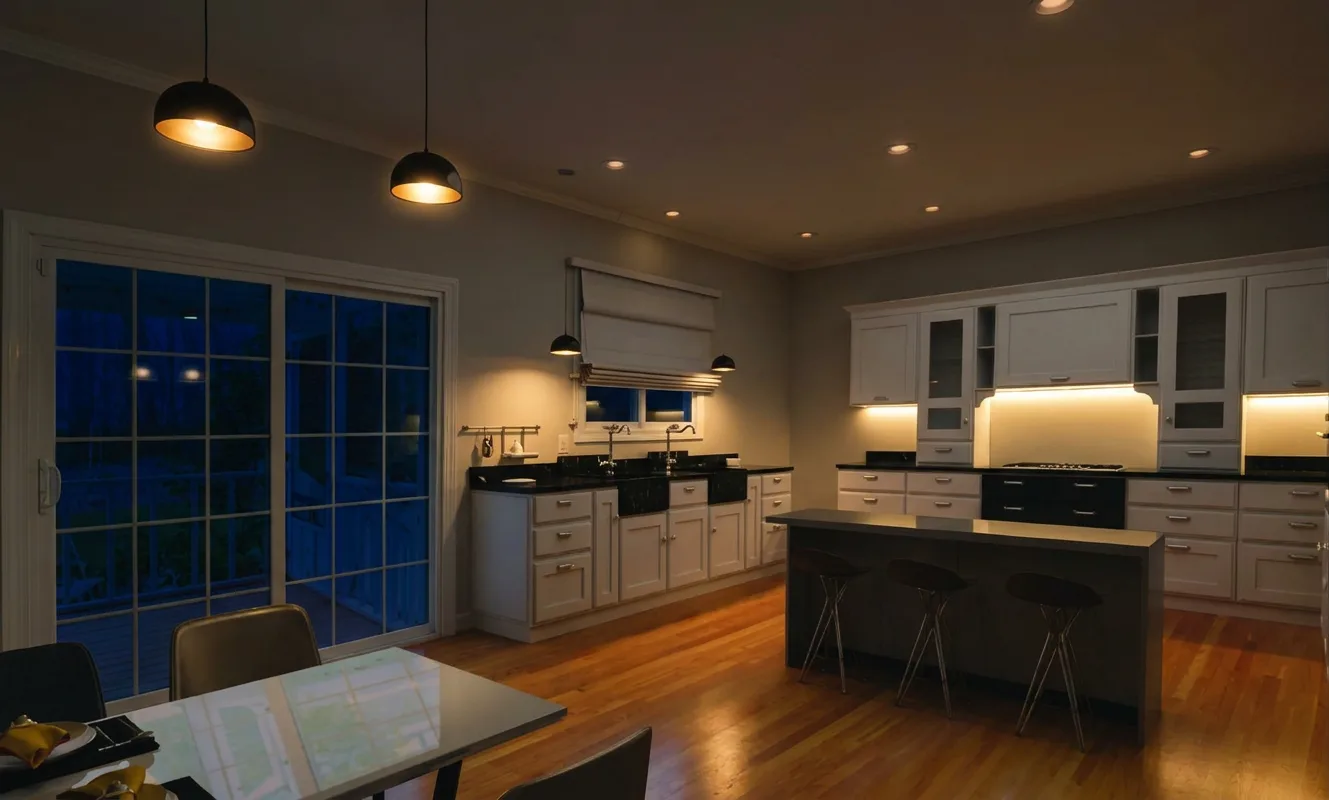 DoneDay to Night RelightAI relights my 3ds Max kitchen render to a night scene.
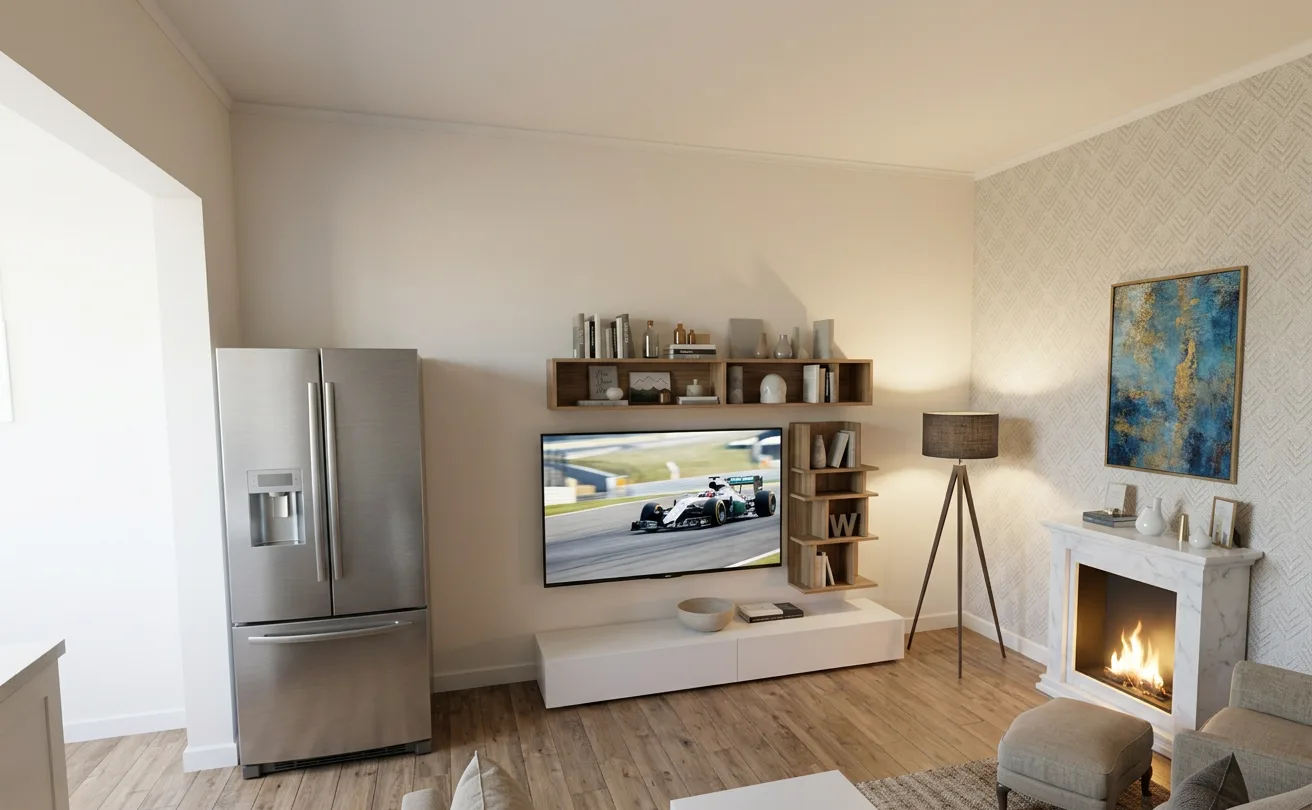 DoneSketch to RenderRender to sketch, then AI renders the sketch back.
 In progressArham Kids TV PipelineCharacter references, scripts and thumbnails for my kids channel.
 In progressAyesha: AI CharacterKeeping one AI face the same across many reels.
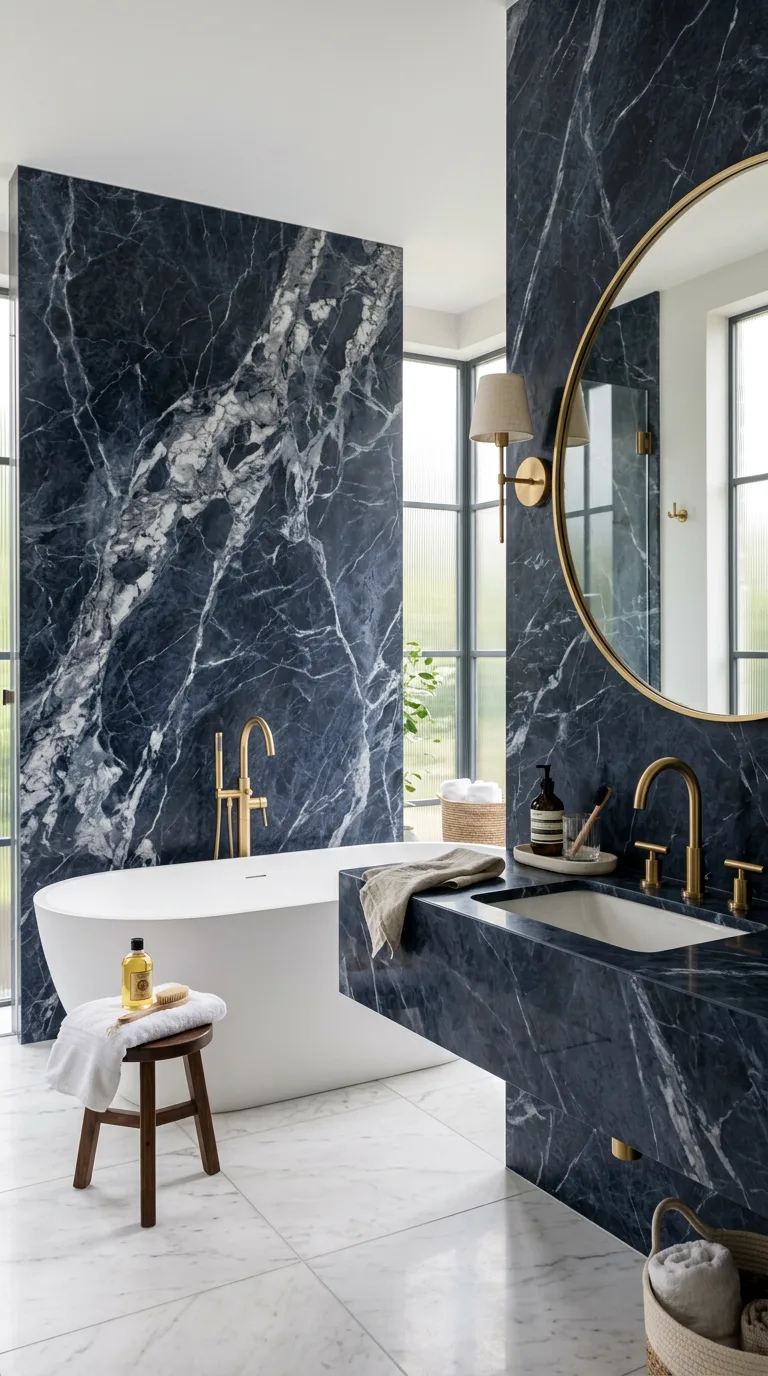 In progressPear to Bathroom CGI ReelAn AI CGI reel compared with my real 3ds Max work.
 In progressAI Cooking ShotsA reusable prompt system for vertical cooking clips.
Quick test 1: Day to night relight
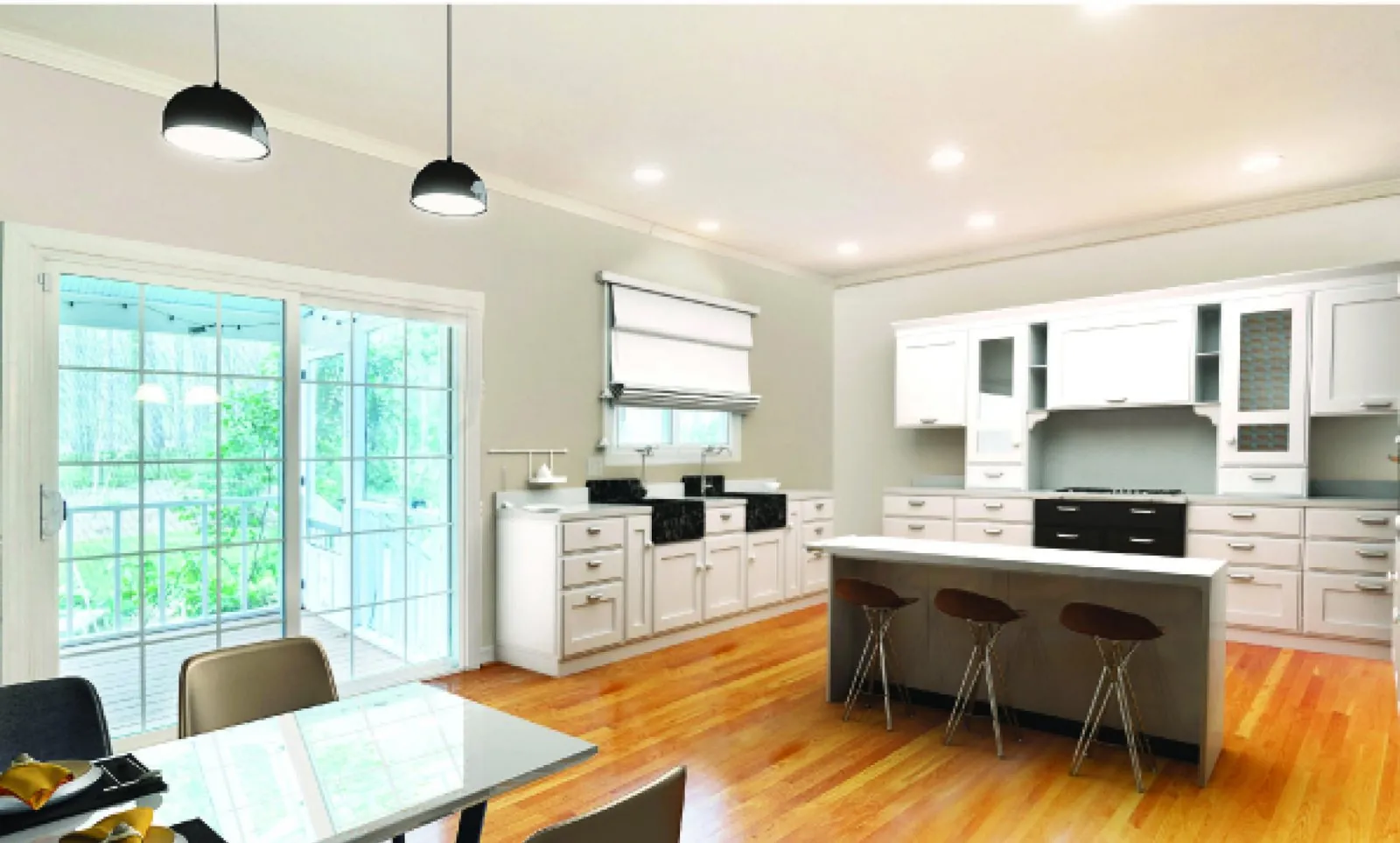
Goal: see if AI can turn my daylight kitchen render into a night scene without changing the design.
Steps: I gave AI my finished kitchen render and asked it to keep the camera, cabinets, island and floor the same, and only change the light: dark sky outside, warm pendant lights and LED strips on.
What worked
- The layout, cabinets and island stayed in place.
- The warm pendant glow is a nice mood for a quick client preview.
What failed or needed a fix
- Small details shift, so it is not a true second render.
- I cannot set exact light power or color temperature like I can in V-Ray.
Try it yourself: tell the AI what must not change before you describe the new light. For a real night render, set it up in V-Ray: see my interior lighting guide and pick warm light colors with the Kelvin to RGB converter.
Quick test 2: Sketch to render
Goal: check how much of a design survives when AI only gets a rough sketch.
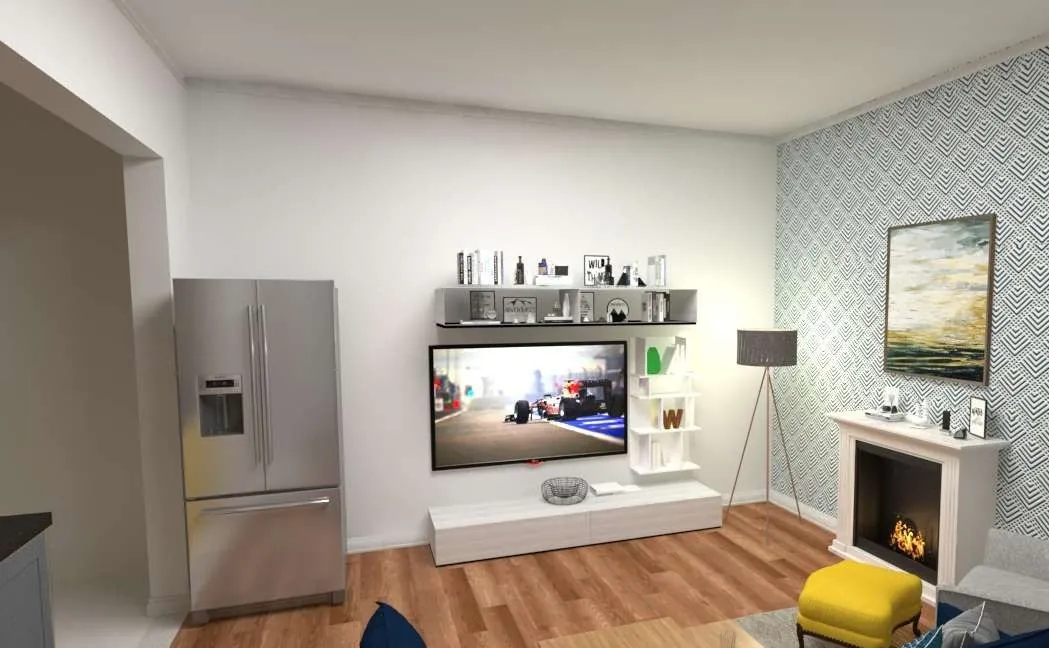
Steps: AI turned my family lounge render into a pencil sketch. Then, in a new step, AI rendered that sketch back into a photo without seeing my original render.

What worked
- The camera angle and the main layout (fridge, TV wall, fireplace) stayed the same.
- Great for showing a client a fast idea from a rough sketch.
What failed or needed a fix
- Materials changed: the white shelf became wood and the yellow seat turned grey.
- The patterned wallpaper lost its pattern, so details from a sketch are not reliable.
Try it yourself: use AI for early mood ideas from a sketch, then build the final in 3D when materials must be exact. Read where AI helps and where it doesn’t or compare both in 3D vs AI.
How each experiment is written
- Goal: what I wanted to find out.
- Tools used: the exact AI tools and software.
- Steps: what I did, in order.
- Result: real images, with AI images clearly labeled.
- What worked / what failed: the honest part.
- Try it yourself: short steps plus a free tool or guide.
Questions people ask
Are these images real renders or AI?
Both, and each one is labeled. Images marked 3ds Max + V-Ray are my own renders. Images marked AI were made or edited with AI, often using my renders as the starting point.
Which AI tools do you use most?
Mostly Nano Banana for images, Google Flow for video clips and CapCut for editing. The AI Tool Finder can point you to a good starting tool.
Can I ask you to test a tool or idea?
Yes. Send your idea through the contact page. If it fits my work, it may become a future experiment.
Want a 3D render or AI video for your project? See my services or message me on WhatsApp.