AI helps 3D artists most at the edges of a 3ds Max project: collecting ideas and mood boards before modeling, generating texture or background ideas, speeding up some post-production, writing scripts and client messages, and denoising renders. It does not replace the core: accurate geometry from real drawings, exact client materials and products, consistent views across a project, and precise revisions. The best workflow today uses AI for speed around the edges and 3ds Max with V-Ray for anything that must be correct.
I use both in my own work, and I also run AI experiments for fun and learning. Here’s an honest breakdown of where AI fits in a 3ds Max workflow and where it still lets you down.
Key takeaways
- AI helps most at the edges: mood boards, texture ideas, denoising, small retouching, scripts and writing.
- Accurate geometry from drawings, real products and consistent views still need a 3D scene.
- V-Ray supports AI denoisers (NVIDIA AI and Intel Open Image Denoise) for faster clean previews.
- Use AI images as references, not final designs, and check every AI-edited detail.
- Be open with clients about where AI shaped the result.

Why This Question Matters Right Now
AI image and video tools have improved fast, and many clients now ask, “Can’t AI just do this?” Sometimes the honest answer is yes, for a quick concept. But when a developer needs the exact tile, the exact window size and the same kitchen from five angles, a prompt is not enough. Knowing the difference helps you save time, set the right expectations with clients, and keep your work accurate.
If you want a direct comparison of control, accuracy, speed and cost, see our free 3D vs AI page.
Where AI Genuinely Helps
1. Ideas and Mood Boards
Before opening 3ds Max, AI image generators are great for exploring a mood: “warm minimal living room with travertine and oak”, “dark luxury bedroom with an aquarium wall”. You can show a client several directions quickly, agree on a feeling, and then build it properly in 3D.
Treat these images as references, not designs. They may show furniture that doesn’t exist or proportions that don’t work in a real room.
2. Texture and Background Ideas
AI can help create seamless pattern ideas, artwork for walls, or backgrounds for window views. Always check that tiling textures actually tile cleanly, and check the tool’s terms of use before using generated images in client work.
3. Denoising and Upscaling
V-Ray supports AI denoisers such as NVIDIA OptiX and Intel Open Image Denoise. These help you get clean previews faster during lighting setup. AI upscalers can enlarge images, but check fine details like text, edges and patterns, because upscalers can invent details.
4. Post-Production Help
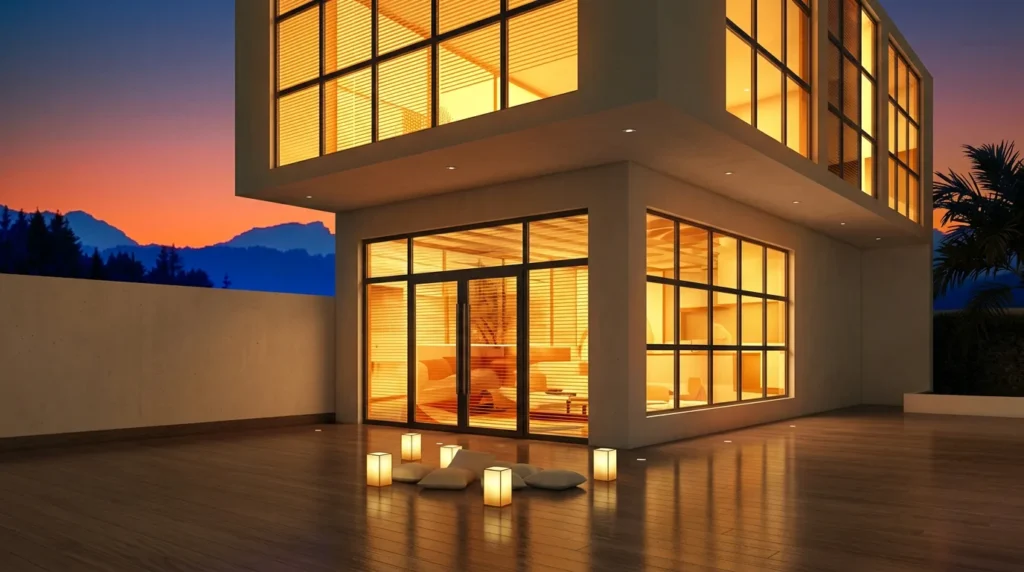
Some image editors now include AI tools for removing small objects, extending backgrounds or fixing small areas. These can speed up retouching. But for a client image, every change still needs a careful human check.
5. Scripts and Repetitive Tasks
AI chat tools can help write or explain simple MaxScript snippets, such as renaming objects or batch-changing settings. Test any script on a copy of your scene first; AI can produce code that looks right but fails.
6. Writing and Communication
Drafting project briefs, client emails, proposals and social media captions is faster with AI. You still need to edit for accuracy and tone, but it removes the blank-page problem.
Where AI Doesn’t Help (Yet)
Accurate Geometry From Drawings
Clients give you CAD plans with exact dimensions. Walls, windows, ceilings and joinery must match. Generated images don’t follow drawings precisely, which is a problem for real estate and construction.
Specific Products and Materials
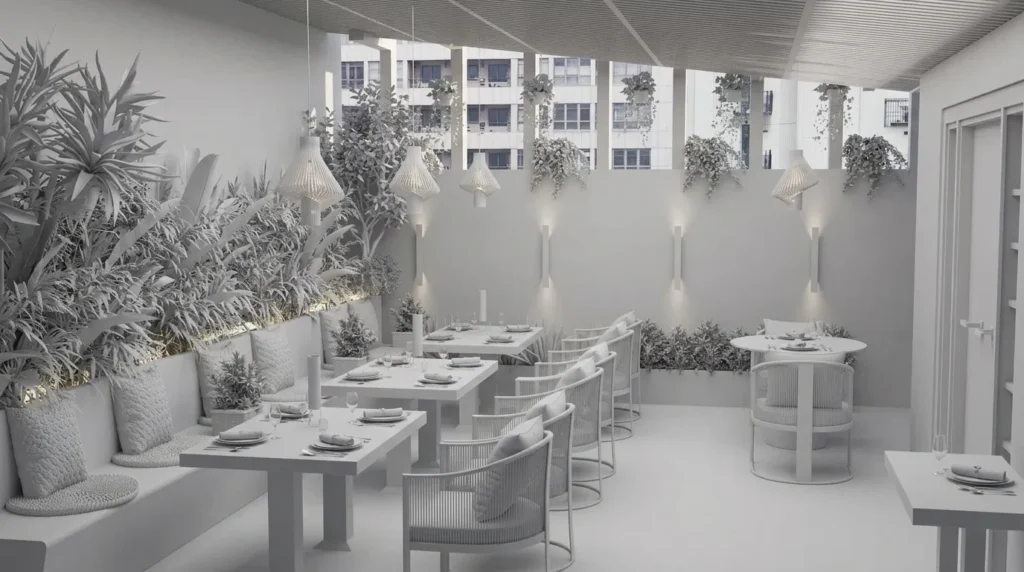
If a client wants a specific sofa model, a branded faucet or a particular tile collection, you need the real model and real material settings. AI tends to produce something “similar”, which is not good enough for a product or design approval.
Consistency Across Views
A project often needs the same room from several angles, plus day and night versions. In 3ds Max, that’s just more cameras in the same scene. With AI, keeping every object identical from view to view is still hard.
Precise Revisions
“Change only the rug color and move the lamp 30 cm left” is easy in 3D. With generated images, a small change can alter other parts of the image.
Honest Representation
In real estate, images must match the property. AI can quietly change windows, views or room sizes. That can mislead buyers, so every AI-assisted image needs a careful check.
| Task | AI tools | 3ds Max + V-Ray |
|---|---|---|
| Mood boards and ideas | Fast and useful | Slower, not needed at this stage |
| Accurate geometry from CAD | Not reliable | Exact walls, windows and joinery |
| Specific products and materials | Often invented | Real models and materials |
| Same room from many angles | Hard to keep consistent | Just add another camera |
| Denoising test renders | V-Ray AI denoisers help | Built into V-Ray |
A Practical AI + 3ds Max Workflow
- Use AI to explore two or three mood directions and agree on one with the client.
- Build the scene in 3ds Max from real drawings, with correct scale and real products.
- Light and set cameras in V-Ray; use an AI denoiser for faster test renders.
- Render final images with proper render elements for post-production.
- Use AI-assisted tools only for small retouching tasks, and check every detail.
- Use AI chat tools to help write the delivery email and social captions.
Looking for the right AI tool for a specific task? Our free AI Tool Finder can point you to options, and the AI Prompt Library has copy-ready prompts for mood boards.
Simple way to say it
AI is great for “show me some ideas”. A 3D scene is for “show me exactly what will be built”.
How to Explain This to Clients
When a client asks why they shouldn’t just use AI, keep it simple and honest. AI is great for “show me some ideas”. 3D is needed for “show me exactly this, from these angles, with these materials, and let me change one thing”. Many clients actually like a mix: a few quick AI mood images at the start to agree on a direction, then accurate 3D renders for approval, marketing and construction.
It also helps to explain revisions. In a 3D scene, a change to one material updates every view consistently. With AI images, each change can mean starting again and hoping the rest stays the same. Once clients understand that, the choice usually becomes clear.
My Own AI Experiments
I keep a separate space for AI experiments, where I test prompts, tools and full workflows and write down what went wrong as well as what worked. You can follow them in the AI Experiments Lab. For client work, though, my core is still 3ds Max and V-Ray.
Common Mistakes
- Sending AI concepts as final designs: Clients then expect exactly that image built in reality, including things that may not be possible.
- Skipping the check: Upscaled or AI-edited images can contain warped edges or invented details.
- Ignoring usage terms: Some tools have limits on commercial use. Read the terms before using outputs for clients.
- Running AI scripts on the main scene: Always test on a copy.
- Promising AI speed for accurate work: Set expectations: quick concepts can be fast; accurate, consistent images need 3D.
Frequently Asked Questions
Will AI replace 3ds Max for archviz?
Not for work that needs accuracy, consistency and specific products. AI is very useful for concepts and speeding up parts of the workflow, while 3D software remains the core for precise images.
Which part of the workflow benefits most from AI?
Early ideas and mood boards, AI denoising during test renders, and writing tasks like briefs and emails are where most artists see clear time savings.
Can I use AI-generated images in client projects?
It depends on the tool’s terms and your agreement with the client. Use them mainly as references unless you are sure about rights and accuracy.
Is the V-Ray AI denoiser good enough for final renders?
It’s widely used for previews and often for finals too, but check fine details like textures and small objects. Some artists prefer to render cleaner and denoise lightly.
Should I tell clients when I use AI?
Being open is a good practice, especially if AI shaped what they see. Clients care most that the final images are accurate and match what was agreed.
References
Official documentation and research used for this article:
- Chaos Docs: VRayDenoiser – V-Ray denoiser engines, including NVIDIA AI and Intel Open Image Denoise.
- NVIDIA: OptiX AI-Accelerated Denoiser – how the NVIDIA AI denoiser works.
- Intel Open Image Denoise – the open-source AI denoiser used by many renderers.
- NAR: Are You ‘Catfishing’ Buyers With Picture-Perfect Real Estate Photos? – disclosure of digitally altered listing images.
Want Accurate Renders for Your Project?
See real 3ds Max and V-Ray work in my portfolio. If you have a project, or want to talk about mixing AI concepts with proper 3D renders, message me on WhatsApp.