Experiment: a short CGI-style reel that flies from a pear into a navy marble bathroom. I wanted to see how close AI clips can get to the look I usually build by hand in 3ds Max.
Goal
Make a transformation reel that feels like my own work. The hook shows 3ds Max on my screen, then the camera moves into the CGI scene.
Steps
- Made a still image of the final bathroom first, with Nano Banana, and saved it as the reference.
- Used my own character sheet image (navy pinstripe shirt, watch) as the face reference for the desk hook.
- Planned each 8 second clip in Google Flow with only one camera move.
- Joined the clips and added sound in CapCut.
Result
The full reel is still being edited, so it is not on this page yet. Below is the reference still made with the prompt on this page, next to one of my real 3ds Max + V-Ray renders, so you can compare the two looks.
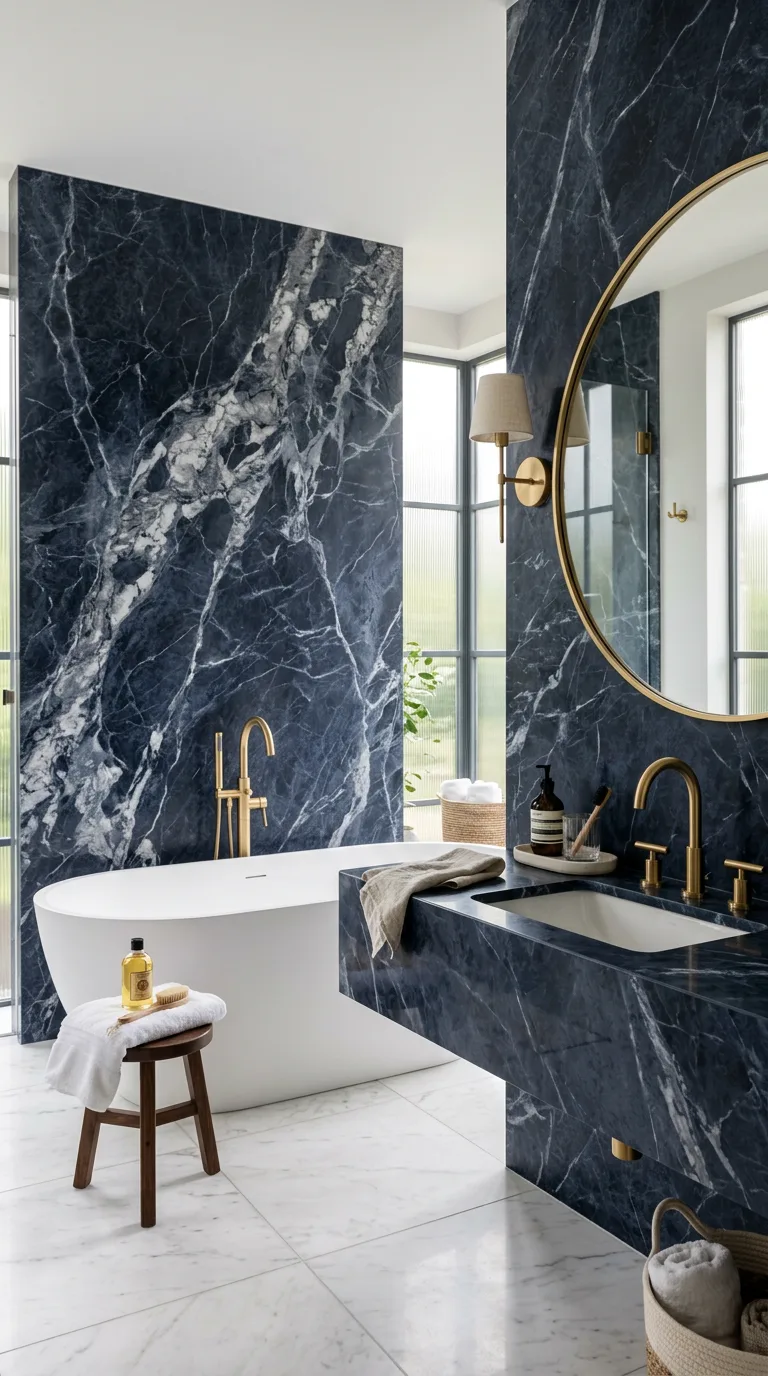
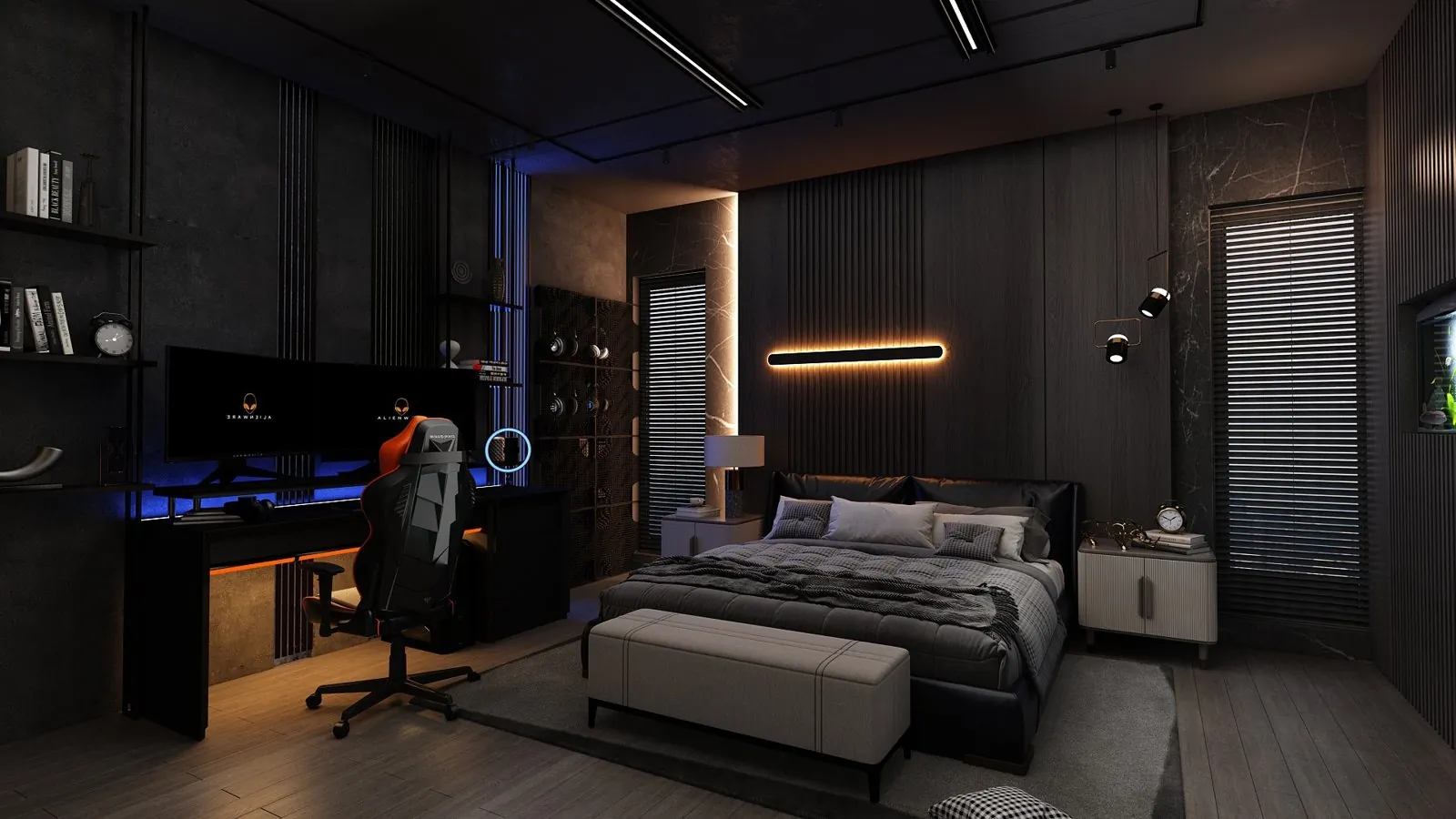
The AI still looks clean and quick to make, but I cannot control the exact marble size, tap model or room size. In my 3ds Max scene every object and light is something I placed, so a client can ask for exact changes.
The prompt I used
Luxury marble bathroom render, navy and white marble, brass fixtures, soft diffused light, editorial interior photo, ultra realistic, 9:16
What worked and what failed
What worked
- Locking one still image first kept the marble and fixtures close between clips.
- One camera move per 8 second clip (a dolly or a pan) gave smooth motion.
- Putting the 3ds Max desk shot in the first 2 seconds made a stronger hook.
What failed or needed a fix
- Without a reference image, the marble and fixtures changed in every clip.
- Two camera moves in one clip broke the motion.
- Opening straight on the bathroom, with no hook, felt weaker.
Try it yourself
- Make a still image of the final scene first and keep it as your reference.
- Plan each 8 second clip with only one camera move.
- Put your strongest hook in the first 2 seconds.
- Join the clips in an editor like CapCut and add sound.
Questions people ask
Is this a real 3D render?
No. The bathroom still and the reel clips are made with AI tools. The 3ds Max moment in the hook and the master suite render above are my real 3D work.
Can I get a real 3D version of a bathroom like this?
Yes. See interior rendering.
Why make the still image first?
Because the video tool keeps changing materials when it has nothing to follow. A locked still gives every clip the same target.
More tests are in the AI Experiments Lab. Want something like this for your brand? See my services or message me on WhatsApp.