Experiment: vertical (9:16) cooking tutorial shots made with AI for TikTok, Reels and Shorts, using one prompt system that I can reuse for any recipe.
Goal
Filming cooking videos takes a kitchen, a camera and a lot of time. I wanted to see if a simple prompt system could give steady, realistic cooking shots again and again.
Steps
- Stage 1: choose the food category.
- Stage 2: choose the recipe.
- Stage 3: write one video prompt for each shot, with one action per shot.
- Describe the same pan, counter and light in every prompt.
- Join the shots in CapCut and add sound.
Result
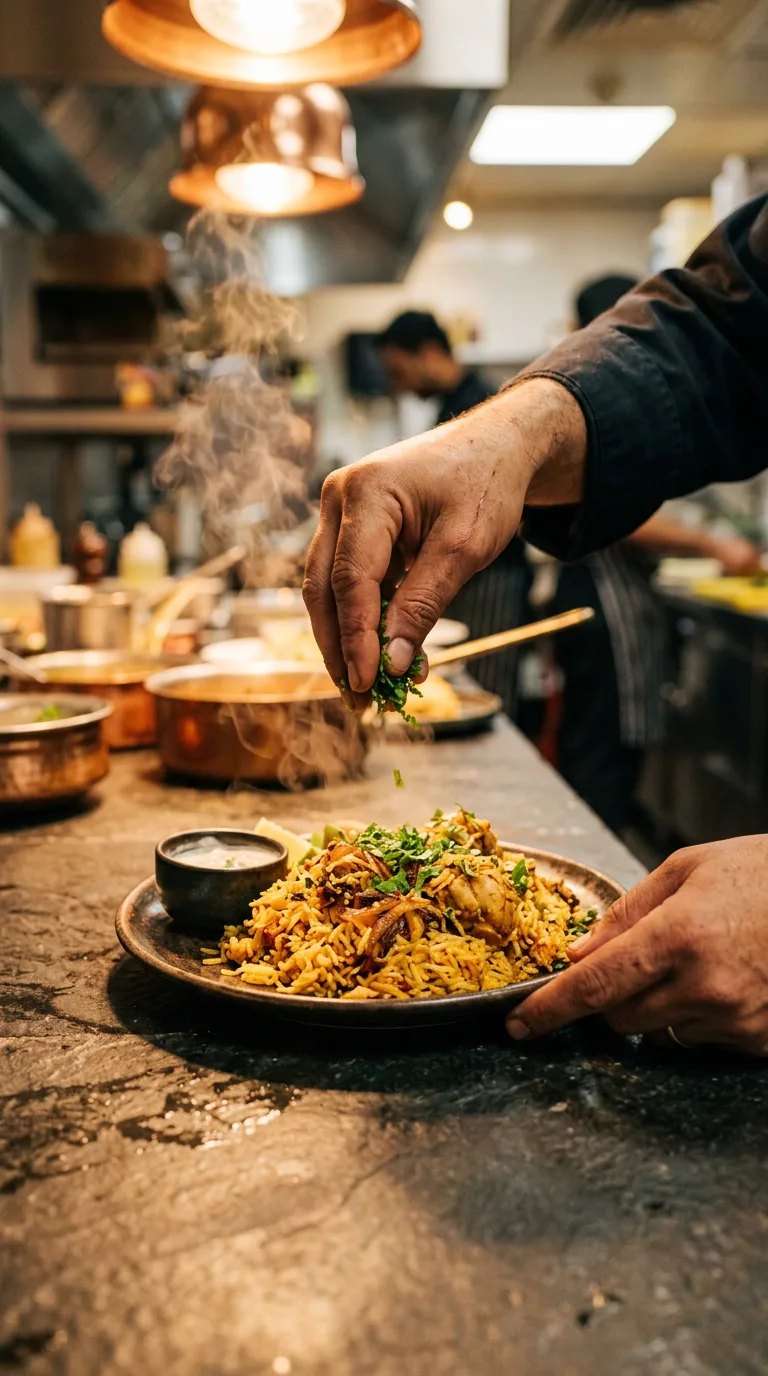
This frame follows the rules from the test: hands only, one action (adding coriander), steam and warm light. The hands and food look natural. The kitchen behind is busier than I asked for, so next time I will describe the background too.
The full video is not finished yet, so only the test frame is shown here.
The prompt I used
Close-up of a chef plating food, steam rising, warm kitchen light, handheld camera feel, 9:16 vertical, 5 seconds
What worked and what failed
What worked
- Close-ups of hands and food came out better than faces.
- Steam, sizzle and warm light made the food look more real.
- Using the same pan, counter and light made it feel like one kitchen.
What failed or needed a fix
- Two actions in one shot (like cutting and pouring) made the hands look strange.
- Faces looked less natural than hands.
- When I did not describe the background, AI filled it with extra people and objects.
Try it yourself
- Choose the food category first, then the recipe.
- Write one video prompt for each shot, with only one action per shot.
- Focus on hands and food in close-up rather than faces.
- Describe the same pan, counter, light and background in every prompt.
- Join the shots in CapCut and add sound.
Questions people ask
Why avoid faces?
In this test, close-ups of hands and food looked more natural than faces.
Can this work for a food brand?
Yes. See the AI product video service.
Can I reuse the prompt system for other recipes?
Yes. That was the goal: one master prompt, then a new recipe and new shot prompts each time.
More tests are in the AI Experiments Lab. Want something like this for your brand? See my services or message me on WhatsApp.